maandag 30 augustus 2010

summary and notes on law of connection

A brief summary of the "law of connection" as detailled in the book "The 21 irrefutable laws of leadership" by John C. Maxwell.

To lead yourself, use your head; to lead others, use your heart. Heart before the head.

When speaking engage on a human level, don't give dry facts.

You must move people with emotion before you can move people to action.

Touch people's hearts before you ask them for a hand.

People don't care how much you know until they know how much you care.

Even in a group, you have to relate to people as individuals. Focus on talking to one person

Guidelines for connecting:

1) connect with yourself
Be confident, people don't heed the call of an uncertain trumpet.
Be yourself.

2) communicate with openness and sincerity

3) know your audience
What do they care about (instead of what you care about)

4) live your message
Practice what you preach

5) go to where they are
Physical location, but also culture, background, education, language, etc.
Adapt to the other.

6) focus on them, not yourself

7) believe in them
Do you communicate because you have something of value to say, or because you believe the other has value to add?
People care less for what they see in us than for what we can help them see in themselves. Everyone wants to grow.

8) offer direction and hope
Give people hope and you give them a future.
Do more than help others get to where they want to go.

Successfull leaders are initiators when it comes to connecting. They do not expect followers to connect to them because "they are the boss".

review: 21 irrefutable laws of leadership


If I were to compile a list of 21 skills that:

1) I have little or no natural talent for
2) I am not currently good in (having not developed these skills actively)
3) I have never considered very important

then this list would look very similar to the skills listed in the book "The 21 irrefutable laws of leadership" by John C. Maxwell.

I love it! I'm like a sailor lost at sea who sees an unfamiliar coastline looming on the distant horizon. Land ahoy indeed!

Every single chapter in this book offers an opportunity for me to learn and grow. It's as if John Maxwell wrote down a self improvement program specifically tailored to me.

In the appendices, there's a questionnaire allowing you to quantify your leadership ability. I filled it in and identified the skills that I'm best in:

1) law of empowerment: delegating work to others, making sure they can do it, and then getting out of the way.
2) law of victory: doing whatever it takes to win
3) law of priorities: making sure you are doing only the important stuff
4) law of connection: keeping it human
5) law of solid ground: be open and truthfull always

In the coming weeks/months, I'm going to be focusing on developing these skills into strengths as the basis for my leadership. Of course they're only 5 of the 21 but as the book itself also mentions, always focus on the 20% that gives 80% of the rewards.

vrijdag 25 juni 2010

Themeparks, jogging, and life


In the Efteling (theme park) they have a rollercoaster ride called "The Flying Dutchmen". The queue, which starts outside of the building, winds it way through a maze of small rooms inside until finally reaching the ride.

And this is annoying! Much more annoying than if the entire long queue were just visible at one glance. The reason is that each time you enter a new room, you hope that this is the last one. Then when it isn't you're dissapointed. But then of course you hope that this is really the last one... etc.

In contrast, when jogging you want a nice path winding through the woods with lots of twists and turns. Nothing is more discouraging than seeing an endless road stretch on before you into the distance, knowing that you'll have to run all that way. In the forest, you may have no idea how far you still need to go, but you can at least accomplish a smaller goal of reaching the next bend.

The difference between jogging and waiting in a queue? For the queue your goal is the ride, the queue is just an unfortunate necessity. For jogging, the goal is the jogging itself, where you end up isn't really all that important.

Ideally, life is like jogging in the forest, but all too often it feels like waiting in the queue.

vrijdag 4 juni 2010

SharePoint and automated testing


SharePoint is a horrible platform to build applications on. And even more so to automate testing against, with the ui and the data layer so completely interwoven. Even more difficult is writing tests for code spaghetti already written on top of SharePoint by somebody else. Nevertheless, this is what I've been doing the last couple of weeks and actually having some fun with it too. Thought I might share some of the things I learnt.

As refactoring the existing spaghetti code was not an option, I ended up building automated acceptance and integration tests that had to deal explicitly with the SharePoint environment. There were few opportunities for unit tests but if I have time I'll definitely put them in place too.

TIP 1

First off, most existing spaghetti code on top of SharePoint will use the global SPContext.Current somewhere. Nasty, nasty, nasty... . Of course, this dependency should have been nicely injected into the object using it, but this is seldom the case. So to create a "fake" SPContext for testing purposes, use code along the lines of (see also here):


String url = "http://myhost.com/mysitecollection";
SPUserToken token;
using (SPSite site = new SPSite(url))
{
token = site.SystemAccount.UserToken;
}
SPSite site = new SPSite(url, token);
HttpRequest request = new HttpRequest("", url, "");
HttpContext.Current = new HttpContext(request, new HttpResponse(TextWriter.Null));
HttpContext.Current.Items["HttpHandlerSPWeb"] = site.OpenWeb();


Explanation: SPContext looks in the current HttpContext for a reference to the current SharePoint web site. We create a reference by using an existing site url, creating a site (collection) object for the url (impersonating the SystemAccount when we create it so that the tests will have access to lists etc), and finally getting the actual web site object for the url and storing it in HttpContext. Note: The HttpContext.Current we create is a dummy one but we do need an actual existing SharePoint site url.

Now this will get you started. Now you can create tests that call existing spaghetti code and not run into problems if this code calls SPContext.Current.

TIP 2

However, spaghetti SharePoint code often instatiates new SPSite objects left and right (to get access to lists for example) and this causes other problems.

Each time a new site is instantiated in the spaghetti code, it will "run" under the account you are using to run the automated tests. So not the SystemAccount we so nicely impersonated for the SPContext.Current above. Typically, the testing account will not have the necessary rights to do whatever the spaghetti code is trying to do (access lists more often that not). So, to solve this problem, run your test code with elevated privileges using code similar to:

SPSecurity.RunWithElevatedPrivileges(delegate() {
// automated testing code that calls the existing spaghetti code
});


Running with elevated priviliges ensures that the test has full rights to do whatever it wants. Evil but it gets the job done.

TIP 3

A final tip. If you test code is going to get items from lists, update them and then save them back to the list, you're probably going to hit some errors regarding a HTTP GET not being allowed to do an update. This has to do with the fake HttpContext created above and the SharePoint security model. I didn't dive to deep here but the problem can typically be resolved by using code along the lines of:

web.AllowUnsafeUpdates = true;
web.Update();


Here web is the web site you containing the lists you want to update. I just ended up adding this code to my automated tests if I hit the GET problem. But I'm sure there's a better solution out there (and if so, please tell me about it).

NOTES

1) A great thing about writing the automated tests was that I didn't have to attach my VS debugger to the wp3.exe process even once! I just ran (in debug mode if necesary) the tests, which speeded up my development significantly.

2) I initially built all my tests in vs2008 (using mstest) but at the end realized I couldn't run my test in acceptance environment without installing visual studio there completely! Since this is evil and NOT an option, I also made the tests run under NUnit as NUnit has a nice ui tool that can be easily installed (and deinstalled) on an acceptance environment. So I now had a test dll that could run in both testing frameworks and it cost very little extra work :-)

3) Of course, the above testing context is completely unsuited for testing any security functionality as it heavy handedly usurps full control to get the job done.


That's it for now. Happy SharePoint testing!

donderdag 1 april 2010

Freelance pitfalls


Here a short list of some of the reocurring pitfalls that I have noticed during my 5 years of freelancing (a number of which I have fallen for at some point or another).

Taking the 1st job offer that comes along: ok, so you've just finished you're last job, or it's your last week, and there along comes a new job offer. Great! Grab it immediately and you're set for the next weeks/months. No financial worries, no need to network and do any sales. Great for business right? Wrong! If anything, if you find yourself always taking the 1st job that comes along then you're either not selective enough, not asking enough money, and/or have no long term strategy that you want to achieve. Besides, if you're like me, chances are one of the reasons you wanted to be a freelancer is to have more free time to do "stuff". If you're jumping from one job to the next without a break, you might as well get a full time job.

Trainings are a waste of time: Trainings are expensive! Not only do they cost money, they are also time you can't bill to a customer. That hurts twice as much (sort of like holidays). So, it's quite easy to skip doing any training and coast along on what you learn during paid jobs. If you find work then obviously there's no need for training, right? Wrong! Again, this is short term thinking. The most important asset in your company is you. If you don't invest in yourself then you are devaluating. Training broadens your scope, gives you new energy, and opens up new options. Would you work for a company that gave you no training. I don't think so. So don't let that company be you! If you realize it's been five years since you last took a training, then you're long overdue.

Fishing around for the perfect full time job: I used to have my c.v. on job boards while I was freelancing, just in case the "perfect" full time job came along. I mean, what could it hurt right? Wrong! This is an insidious one and it took me a while to realize it. It signifies you're not fully committed to freelancing and as a result, you will not achieve your maximum potential. The c.v. is a sort of safety net, if things go wrong I can always go back to a nice safe job. It's a placebo for freelance fear but a distracting one. What happens if a reasonable job comes along? It may not be perfecct but maybe you're inbetween work, or unhappy with your current customer, or... whatever. The job may suddenly seem tempting, and you go the interview, and you negotiate the price, and... then you realize you don't want give up freelancing and the freedom and the money, and.. then you start doubting, and etc... Basically, the c.v. is a distraction and a waste of time. It causes you to lose focus and will hamper your chance of success. Better to choose for freelancing and go for it 100%. That is the only way to make it work.

I want to build my own company: So there you are, a reasonably successfull freelancer for a number of years, with a couple of customers who like to use your services from time to time. But still, somethings missing. Wouldn't it be nice to have your own company, with employees working for you, so that you can grow, and get more clients, and take on bigger jobs. A company that you could sell when you get old to have a nice retirement pension. Great idea right? Wrong! Chances are that if you're a successfull freelancer, and you like it, then you're probably somebody who likes freedom and independence. This is the opposite of what a company brings you. Somebody who starts a company generally has a different personality profile than somebody who is successfull at freelancing. The urge for a company comes from financial fear for the future. What you really want is alot of money on the bank for your old age, not the hassle of having to run your own company.

Sticking around at a client: So you have a good working relationship with a customer and you've come back a number of times for jobs already but , the jobs are really not all that exciting. In fact, they're downright boring, you're not learning anything anymore, you're not really adding that much value to the customer, but you stick it out cause they pay well (and by the hour). Part of the job right? Wrong! You're the boss of your company. You determine what is part of the job. If you find that the desk chair is shaping itself to your contours and you've settled into a nice, cozy, safe routine, then it's probably time to move on. Otherwise, you're just a full time employee, only slightly better paid. Remember, a large part of your value as freelancer is being available!

Networking is scary: I'm a techy, geek, developer type and nothing scares me more than stepping into a room full of business suits and trying to mingle. I generally end up lost in some corner trying to look busy and/or interesting. Both of which I fail at miserably. Or at least, that's generally the mental image I have, and this is a big fat hurdle I have to overcome every time I go to anything remotely networkish. Stands to reason then that I find plenty of excuses not do to any networking. But you have too. And when you do, it always turns out ok. Maybe not brilliant but I find I always end up speaking to a number of interesting people, learning some new ideas, and gaining some energy. It may all not really help my business directly, but I always feel good afterwards. Sort of like fitness, which I never feel like doing, but I never regret afterwards.

woensdag 24 maart 2010

Another 2 book reviews

Lean software development: An agile toolkit, by Mary & Tom Poppendieck

Great book! Definitely choc a bloc full of really usefull information. This is a book I'll be returning to many times and each time I will probably learn something new. Alot of the stuff needs hands on experience first to really understand the value of what has been written down but I'm definitely eager to get started right away.
------------------------------


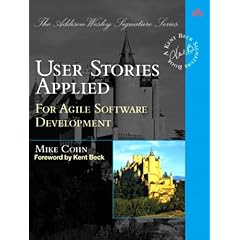
User stories applied: for agile software development, by Mike Cohn

A pleasant, easy read. Nothing very shocking but good to have on paper to grab for reference. there is quite a bit of padding to the book, it could have been a bit thinner without having lost value I feel.

maandag 15 maart 2010

Two book reviews


Test driven development: by example (Kent Beck)

An easy read (also quite thin). Didn't learn too much new but the later sections/appendixes that list refactoring patterns were quite interesting (I hadn't read about them before but I sure recognised some of them!).


Growing object-oriented software, guided by tests (Steve Freeman, Nat Pryce)
Sometimes a tad theoretic, sometimes a tad too practical. The automated testing of the user interface (reading value of label for example) is too extreme for my tastes but it was impressive to see it done. Great book to learn about mocking and mock objects! After all, Steve and Nat helped build jmock. It also expanded my ideas of TDD. I was to focused on unit tests but this book broadened my scope to include tests at every level and not to get too hung up with terminology.